

“Home Assistant themes” is a search term I’ve typed into Google so many times it practically earned its own dedicated page on my site. For a long time, the routine was always the same: gorgeous screenshot, installed in ten seconds, uninstalled in five. Beautiful to look at, completely unusable in practice.
I know the playbook by heart. You spot the perfect screenshot on a forum, showcasing a dashboard that looks straight off the bridge of the Enterprise. You copy the YAML, restart, open the panel, and instantly discover that the secondary text is dark grey on a black background, the active light icon shares the exact same shade of yellow as the warning badge, and the volume slider only becomes visible when you physically press your finger against it. Pretty? Sure. Great for a photo, useless for daily driver status.
Then comes the worse variation: the theme that actually works, but demands card-mod, three separate HACS integrations, and a quiet prayer[^card-mod is an unofficial frontend modification that allows injecting custom CSS directly into Lovelace cards. It works brilliantly until the frontend renames an internal CSS class - something that happens on a regular basis. You can find the repository on GitHub; technical support when things break relies entirely on your own patience.]. It runs flawlessly right up until the next major Home Assistant core update. Then, one fine morning, it sends you the bill: half the interface turns blinding white, and the other half vanishes entirely.
 robertobonfa
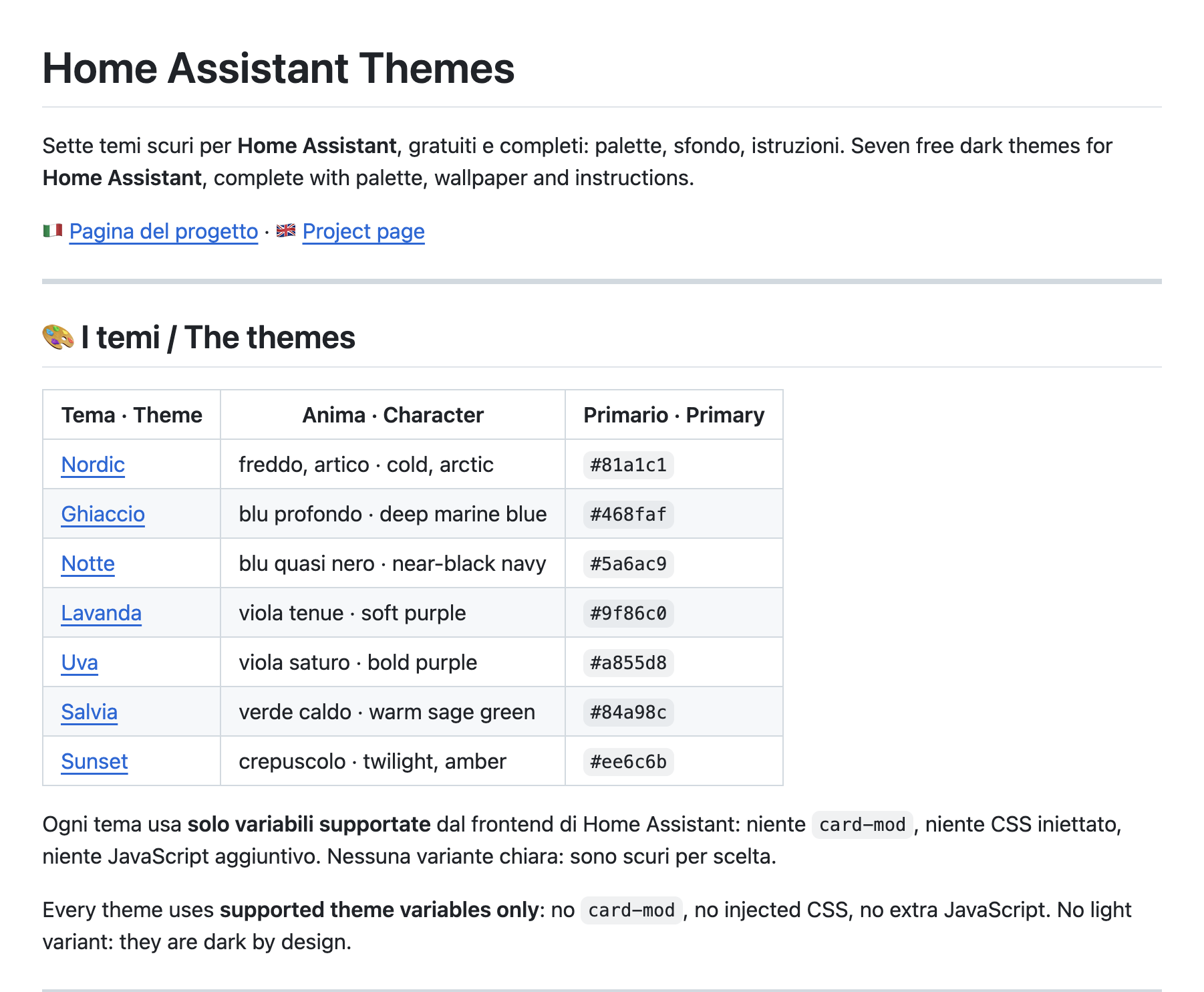
So I stopped searching and started building my own. These seven themes (a starting collection, with more to come) are the result: free, complete, complete with matching backgrounds, and accompanied by a detailed English and Italian setup guide inside every folder.
The Three Rules I Set for Myself
First, I thoroughly read the official frontend documentation. Only then did I write my first YAML line. In that exact order - the only one that works, and judging by many themes out there, a practice that isn't particularly popular.
Rule 1: Supported Variables Only
Home Assistant exposes a precise, documented list of theme variables. It is long, it is tedious, and it is the single thing guaranteeing your theme will still function six months down the line. Everything outside that list is a minefield: it might work today, but it relies on implementation details no developer committed to maintaining long-term[supported theme variables and unsupported theme variables. The latter page exists precisely because so many people tried to cut corners.].
Therefore: no card-mod, no bootstrapped CSS injections, no extra JavaScript. Pure YAML, strictly declared variables, and builds that effortlessly survive core updates.
Rule 2: No Dual Light/Dark Modes
None of these themes feature a light or dark toggle. This wasn't an oversight; it was an intentional design decision: a theme designed to look decent at both 11 AM and 11 PM ends up being compromise-grade at both and memorable at neither. Each palette is tuned for its specific ambiance, period.
If you need a bright kitchen dashboard at 7 AM, Home Assistant's native theme picker seamlessly handles multiple installed themes. You can run one of mine at night and a different theme during the day without hurting anyone's feelings.
Rule 3: The Background is Part of the Theme
A theme with an exquisite palette set against the default plain background feels like wearing a tailored tuxedo with house slippers. Because of this, every theme package includes its own background wallpaper - crafted directly from the same color palette in both desktop and mobile layouts - alongside the vector source files and a Python script to regenerate them at any custom resolution.
If you prefer not to transfer PNG files - perhaps because you exclusively rely on the File Editor add-on, which flat-out refuses to upload binary files - each
Instructions.md includes an alternative single-line CSS fallback using pure CSS gradients. You trade off the subtle background texture, but the color palette stays identical and installation simplifies down to a single copy-paste text operation.Where the Color Palettes Come From
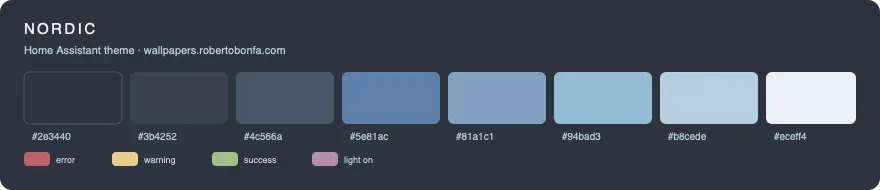
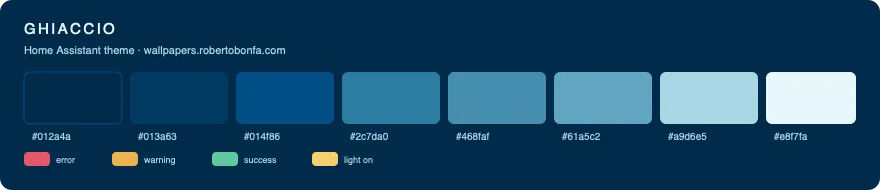
All seven palettes stem from my custom wallpaper generator, where colors aren't arbitrary hex lists, but continuous gradient ramps that can be sampled at any point. For each theme, I condensed these ramps into eight core stops: application background, card surface, borders, accent color, primary color, hover state, secondary text, and primary text.
 Roberto Bonfà
On top of these, I meticulously crafted four semantic status accents - error, warning, success, and active light state - tuned individually to preserve crisp legibility specifically on that exact background, rather than a generic dark surface. It was the most tedious part of the process, but it's the one that makes all the difference: a "warning yellow" that looks crisp on charcoal turns invisible against saturated violet. Consequently, no status accent is recycled across themes. Seven themes, twenty-eight custom accents, and plenty of evenings spent debugging shades.
The Seven Themes
| Theme | Vibe / Aesthetic | Primary Color | Repository |
|---|---|---|---|
| Nordic | Cool, arctic, understated | #81a1c1 |
Open |
| Ghiaccio | Deep oceanic blue | #468faf |
Open |
| Notte | Near-black midnight blue | #5a6ac9 |
Open |
| Lavanda | Soft, relaxing lavender | #9f86c0 |
Open |
| Uva | Rich, vivid purple | #a855d8 |
Open |
| Salvia | Earthy, warm sage green | #84a98c |
Open |
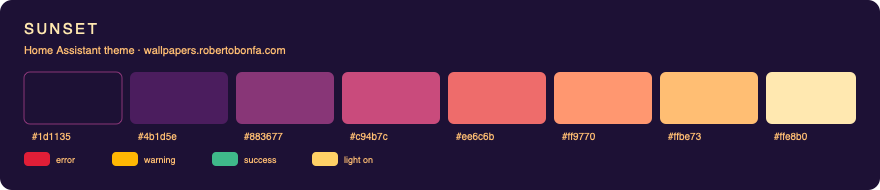
| Sunset | Dusk, amber & coral | #ee6c6b |
Open |
Nordic is the most reserved of the set, adapted from the iconic Nord palette: polar blue-grey, perfectly balanced contrast, zero fuss. It’s the only theme I can look at 6 AM without feeling the immediate urge to close the blinds and postpone my morning.
Ghiaccio takes that same cool tone underwater: ranging from deep abyssal blues to frosted azure, with contrast levels that pull cards off the background with crisp definition. This is the theme powering my kitchen wall tablet, where data needs to be readable at a glance in two seconds flat with full hands.
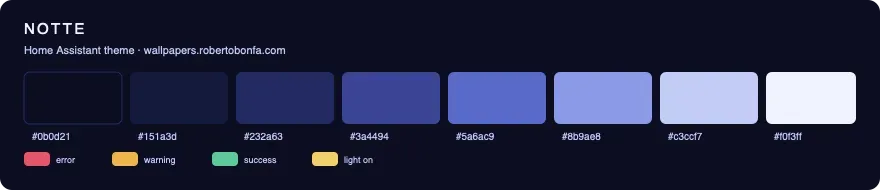
Notte is the darkest entry of the lineup: built on a #0b0d21 background that feels pitch black, yet retains an underlying navy undertone visible only when the lights go out. Engineered specifically for wall mounts and displays that stay on overnight without illuminating the room like a lighthouse.
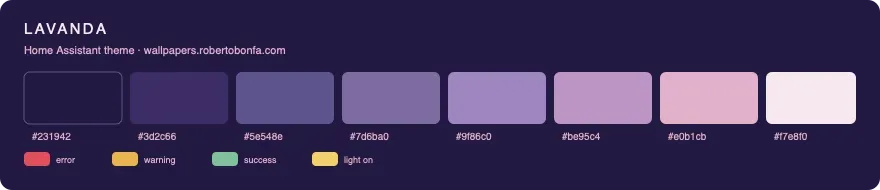
Lavanda is a muted purple executed with restraint: soft dusty rose for secondary text, gentle accents, and zero harsh contrast. It’s my go-to recommendation for anyone who looks at Uva and says, “Looks great, but a bit too intense for me.”
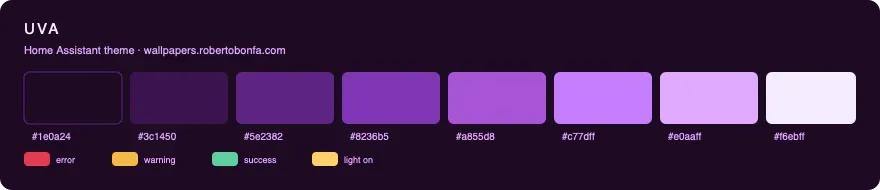
Uva is Lavanda after three double espressos. Deep eggplant scaling up to electric lilac, unapologetically saturated, featuring status accents explicitly tuned so they don't get swallowed by the rich purple backdrop. Not for everyone, but those who love it never look back.
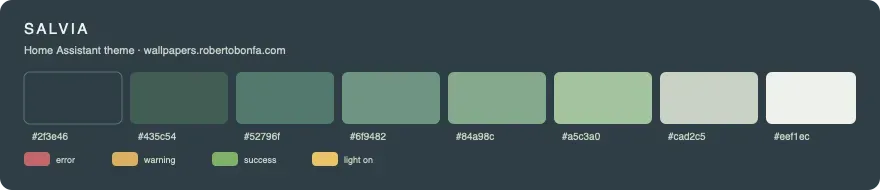
Salvia is the sole green variant in the collection and the only one I'd describe as genuinely warm. Anthracite green transitions into sage (my personal favorite hue) and soft botanical whites, paired with desaturated accents that never clash. If dark dashboards give you cold server room vibes, this is the remedy.
Sunset is the showstopper of the family: twilight purple at the base cascading into magenta, coral, amber, and warm sand. On a main wall dashboard, it looks stunning. Though admittedly, after spending an hour tweaking cards inside a perpetual sunset, you’ll feel a sudden desire to go outside and catch some real fresh air.
How to Install: 3 simple steps
The exhaustive setup process, covering every possible workflow (File Editor, Studio Code Server, SSH, Samba), is detailed inside the Instructions.md file in each theme folder. Here is the quick 3-step setup.
Step 1. Copy the .yaml file into your configuration’s themes folder (the same directory containing configuration.yaml). If the themes directory doesn't exist, create it[^Pro tip (responsible for half of all "it's not working" support messages): if you connect via SFTP through the SSH add-on, you land inside /root - which is the home directory of an isolated container that Home Assistant never reads. Make sure to navigate into homeassistant/ (or config/, which points to the same location), otherwise your theme will never show up in the picker.].
Step 2. Copy the two background PNGs into www/theme-name/ and ensure your configuration.yaml contains the following snippet:
frontend:
   themes: !include_dir_merge_named themes
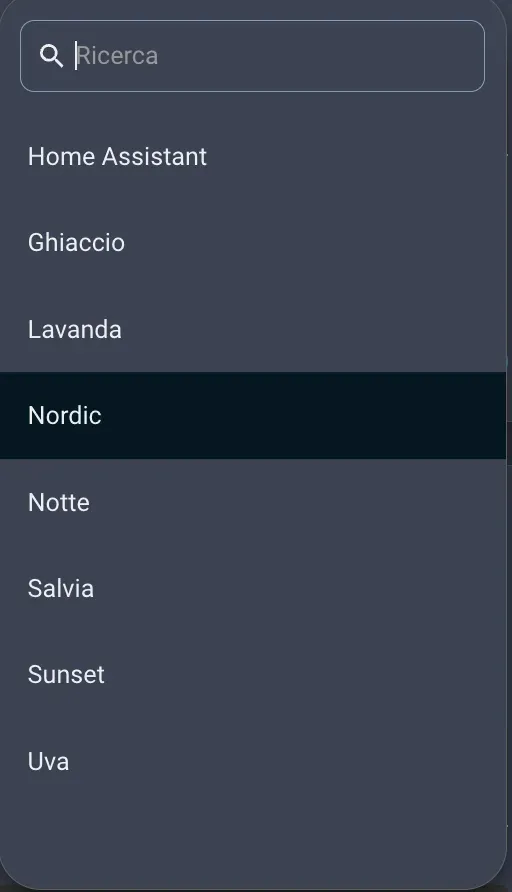
Step 3. Restart Home Assistant - or more conveniently, head to Developer Tools → YAML → Reload Themes - then click your profile icon at the bottom left and select your new theme under the Theme dropdown menu.
If the theme doesn't show up in the menu, 95% of the time the file was placed in the wrong directory. The remaining 5% boils down to a missing themes: directive in configuration.yaml. There is no third scenario - I've spent plenty of time looking for one! 😂
Why aren't these on HACS?
A fair question with a simple answer: a Home Assistant theme is fundamentally a single text file accompanied by an image. Wrapping a full-fledged package manager, a custom repository, and automated updates around fewer than 100 lines of YAML feels like over-engineering an unnecessary system.
Downloading a folder and dragging two files over is a task anyone running Home Assistant already knows how to do in their sleep. Keeping things as simple as possible is almost always the right call: fewer moving parts mean fewer points of failure. If the collection ever grows to twenty themes, I might reconsider.
What’s included in every folder
Inside each theme directory, you'll find the core theme YAML file, dual English and Italian installation instructions, an SVG palette preview, a structured CHANGELOG.md, and a dedicated backgrounds/ folder containing wallpapers in dual resolutions, vector sources, and the Python generator script.
These are the exact themes I run across my own devices daily, meaning bug fixes and subtle tweaks happen the second something feels off - usually around 11 PM while convincing myself that “this is definitely the final tweak for tonight.” All source code is hosted on GitHub, so updates flow directly from there.
 robertobonfa
🇮🇹 Questa pagina è disponibile anche in Italiano: Temi Home Assistant.